
- Why register for Public Services?
- How to register for the State Services?
- Simplified notation
- Standard recording
- Confirmed entry
- What is the difference between a confirmed record and an unconfirmed one
- FAQ
- How to log in?
- Login by phone number
- Login with electronic signature
- Login through your personal account of the bank
- What to do if you can’t log in
Why register for Public Services?
Public services is a service with which you can get most of the services online from various departments: tax, Pension Fund (PFR), Ministry of Internal Affairs, traffic police and others.
Depending on the complexity of the service, the user registered on the portal can:
On the portal, you can not only receive services, but also pay fines, housing and communal services, tax debts and much more.
Part of the services for portal users is issued automatically. For example, after the birth of a child, the PFR independently sends the child’s SNILS to the mother’s personal account, a certificate for maternity capital, as well as information about what payments she can receive.
How to register for the State Services?
To open a personal account on the State Services portal, you do not need to pay anything — the procedure is free. You can start registration online: on a computer, tablet or smartphone — in the application or mobile version of the site. The first option is more convenient, since with the State Services application on a smartphone, the main options will be immediately at your fingertips. You can also create a profile on Public Services:
We will consider step by step the option with registration through the application.
Please note that in order to fully use the portal, after registration, you will need to go through verification. In total, there are three types of accounts on Public Services: simplified, standard and verified. The type of account determines which services and to what extent will be available to the user.
Simplified notation
The functionality of such a profile is very limited — only reference information and payment of fines are available. For example, you can find out about the presence of a court debt, pay for utility services and make an appointment with a doctor.
Standard recording
If you add some information to your simplified account on the State Services portal, then it can be expanded to a standard one. All that is needed for this is to enter the SNILS number and the data of the Russian passport.
The system will send the information for verification (usually it does not take more than a day). After that, the status of the account will be updated and it will become standard. Such a profile will allow you to find out about the status of your pension account, make an appointment with a doctor, and find out your tax debt. But in order to get full access to all portal services, you will need to confirm your account.
The portal uses modern means of protecting personal data. But remember that the safety of information also depends on whether the device through which you access the Public Services is well protected from viruses and other cyber threats — a smartphone, tablet or PC.
Confirmed entry
With a verified account, you can use all the functionality of the portal. Including enrolling a child in a kindergarten, replacing a driver’s license or applying for a passport.
Such an account can be created immediately, bypassing the other two stages of registration. Or, first start a simplified or standard record, and then confirm your identity and raise the record to a new level. This is done in two ways:
You can choose a convenient method in your personal account in the application. To do this, on the main screen, click «Confirm».
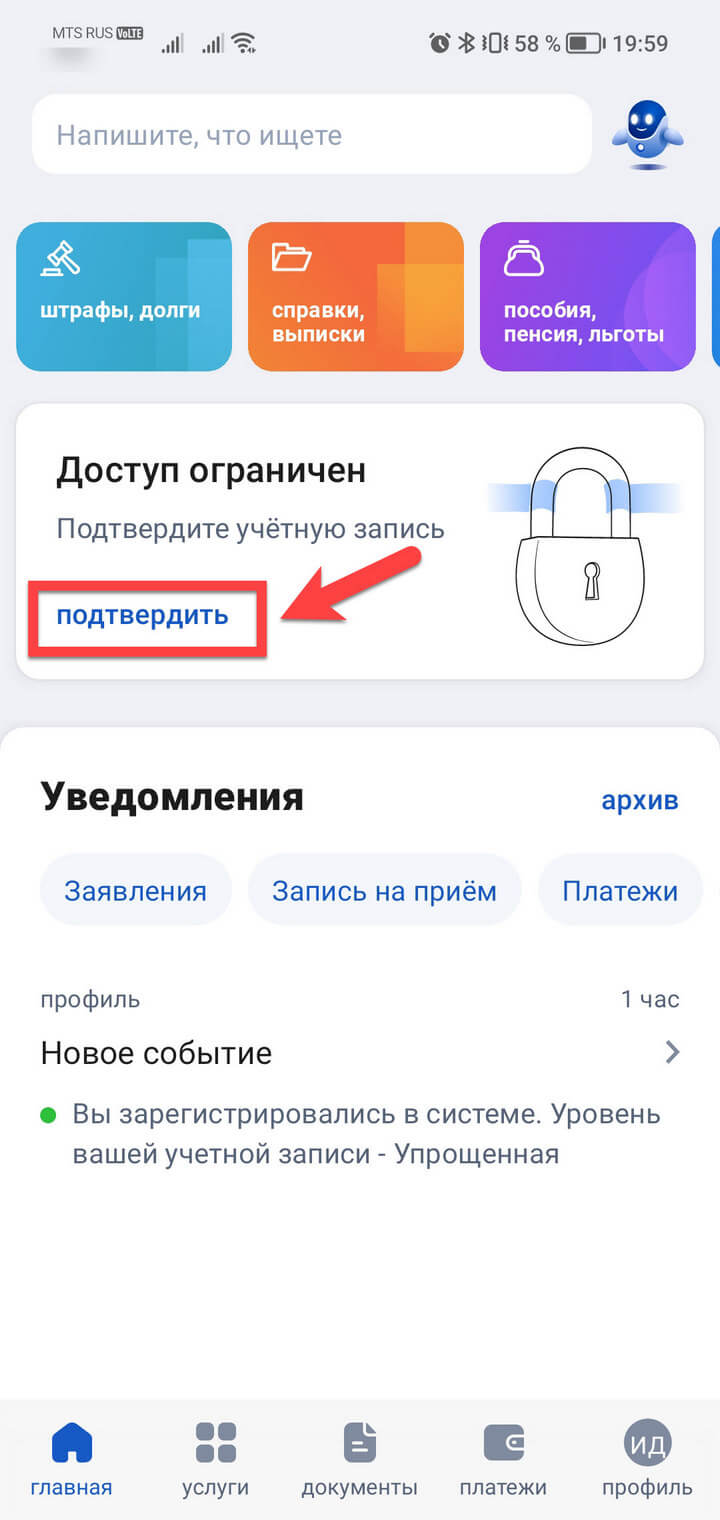
Choose the appropriate option and follow the prompts on the screen.
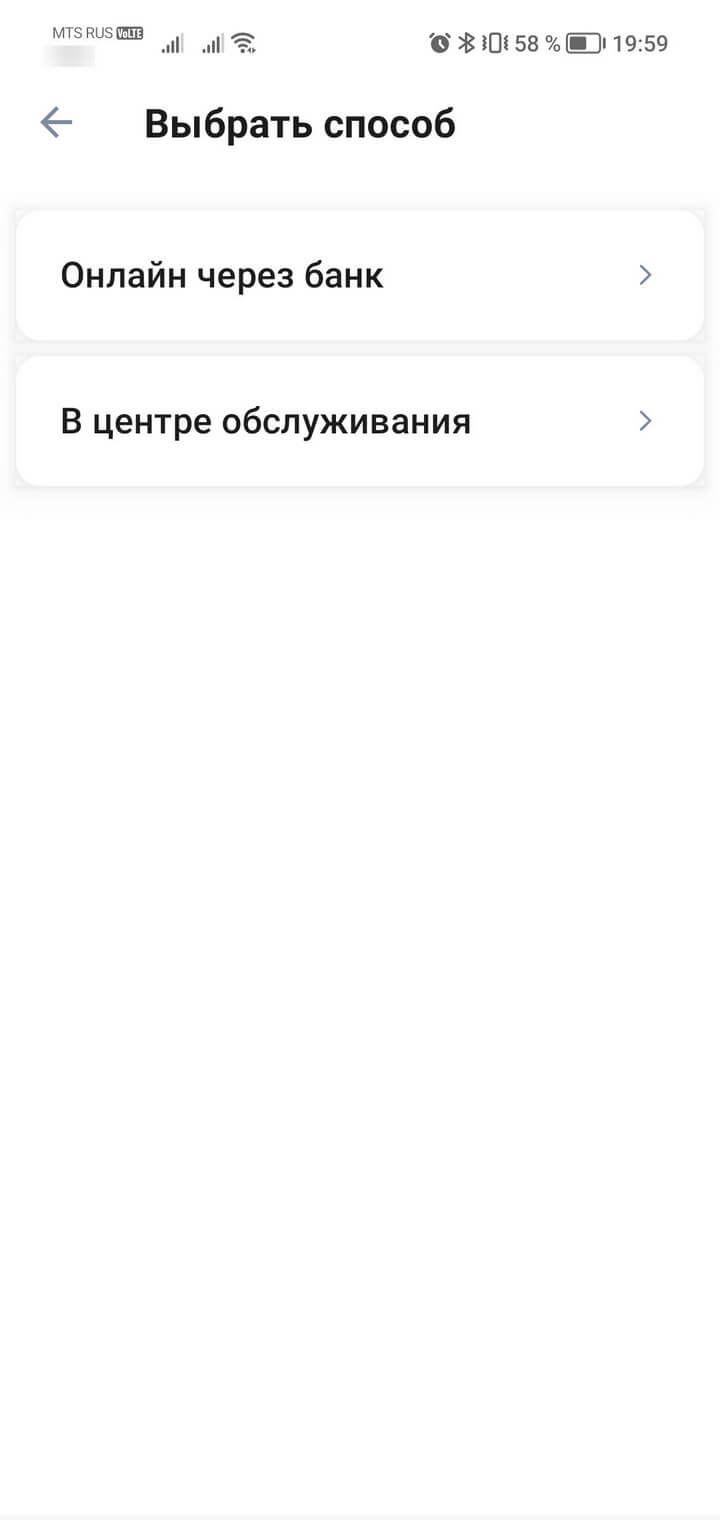
For users of the State Services Portal who already have a standard account, there are two more ways to confirm the data:
What is the difference between a confirmed record and an unconfirmed one
If you have a verified account on the portal, then you get access to all the services of the site, without restrictions. The most popular options are listed on the main page of the website or mobile application. Services are grouped by sections. For example, the «Family and Children» tab contains all information about benefits and benefits for parents.
If you can’t find the service you need, just enter its name in the search bar or ask the bot Max for help.
Until January 1, 2023, you can pay state duties on State Services at a 30% discount. For example, issuing a new passport will cost 3,500 rubles instead of 5,000 rubles. After January 1, the discount will no longer be valid.
Having a personal account on the portal allows you to receive many certificates online — they just come in messages on the site. If a document is required to be submitted to a government agency, it is better to clarify in advance whether a certificate from the portal is suitable, since in some cases paper documents are needed.
FAQ
How can I find out the status of my account on Public Services?
How long does registration take?
At what age can I register on the portal?
How to restore access to Public Services if I forgot my password?
Can I delete an account from the Public Services portal?
The Public Services Portal allows you to draw up documents, receive certificates and deal with many current affairs in a couple of clicks. Solving problems related to mobile communications is also very simple. It is convenient to monitor the balance of the number, connect and disconnect services through the My MTS application.
How to log in?
You can get into your personal account on Public Services using:
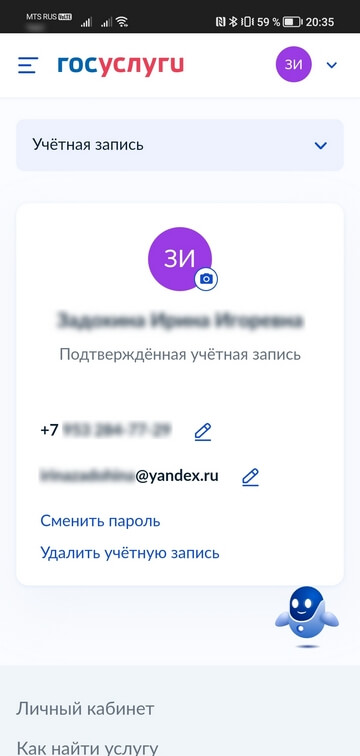
You create the password for entering the Public Services yourself. You can change it at any time in the profile settings on the portal, section «Account».
Login by phone number
SNILS is the insurance number of an individual personal account. It consists of 11 digits. Previously, the SNILS number was indicated on the insurance certificate — a green plastic card that was issued to all citizens. But now this document is not printed — SNILS has become completely electronic. You can find out its number in your personal account on the official website of the Social Fund of the Russian Federation (section «Individual personal account»).
The procedure for entering the portal using SNILS:
Login with electronic signature
If you have UKEP, you can use it to access your personal account on Public Services. We described in detail how to get a signature in this article.
Login through your personal account of the bank
Users with a verified account can go to the portal through mobile banking, if there is such an option in the application of a financial institution.
What to do if you can’t log in
If none of the above methods helped and the system still gives an authorization error, write to the portal support service.
With the help of the State Services, many bureaucratic tasks can be performed remotely. Issues related to a mobile number are also easy to resolve online. Keep track of your balance, connect and disconnect services, replenish your account in the My MTS application.
