
State Information System
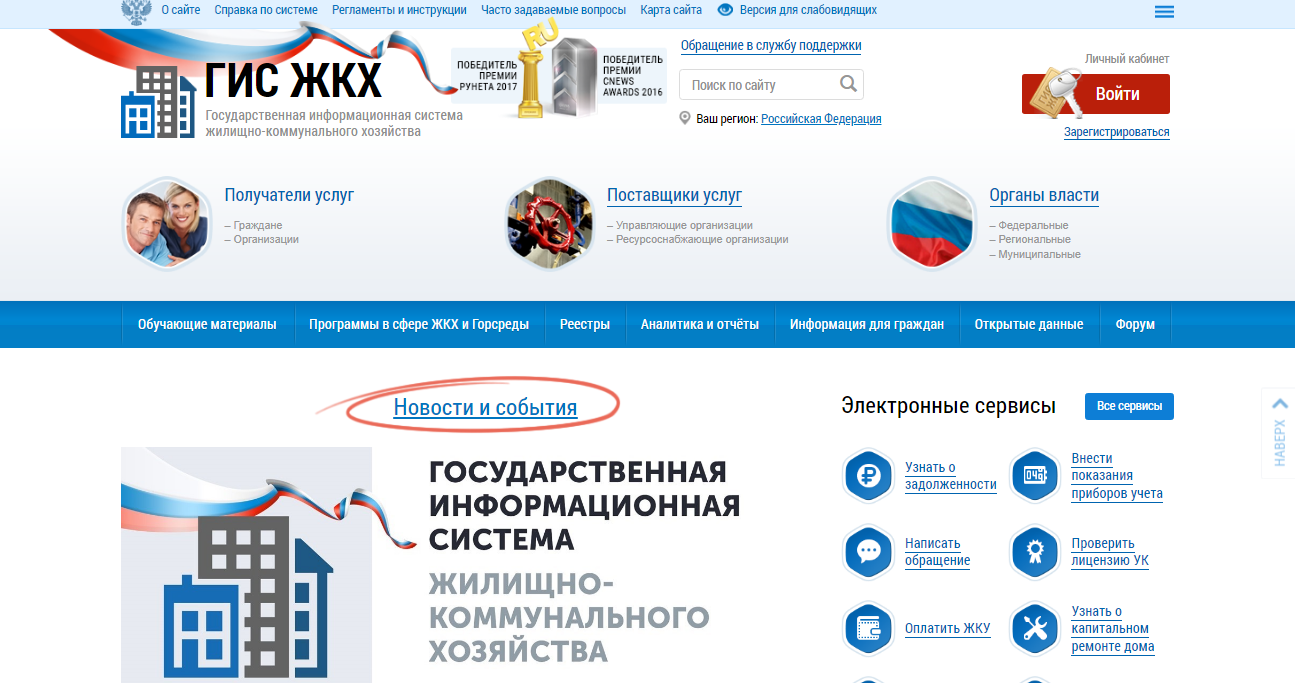

Information about managing organizations and housing stock is collected in the GIS system of housing and communal services. Each citizen can go to the website of the information system and get all the necessary information about their home.

GIS housing and communal services is a state information system of housing and communal services. It united owners, managing organizations, resource-supplying organizations, as well as authorities.
This resource allows citizens to obtain information about their managing organization, transmit meter readings, as well as send an appeal or complaint to their managing organization, which are registered in the system and their execution is controlled by supervisory authorities. All managing organizations and HOAs, in turn, are required to post information about their activities here.
Many of us have heard about the site gis housing and communal services. Television, radio. Internet — all these media sources happily report on the GIS housing and communal services, as a storehouse of housing and communal services.
Who places information in it
Management companies, HOAs, resource supply organizations (provide the supply of water, gas, electricity, heating).
For homeowners and control of these organizations by higher authorities.
In 2017, the site received the Runet award, but is it justified. Let’s figure it out in order.
Let’s try to find information about our management company, our house, a report on the execution of a management agreement, financial statements in this system.
In the upper right corner in the line «Search on the site» enter the name of your management company, for example, in this line I wrote: «My UK».
Search gives us a huge amount of information, we will simplify our lives by ticking the word search — «strict match»
If this did not help, and the list of management companies (management companies) did not decrease, we turn to the «Search in sections» column and press the «clear all» button,
after that, select the item Register of information providers.
And, lo and behold. we can easily find our management company.
What do we see
General information about the company, but this is just the beginning. Go to the tab Additional information about the activities of the organization
Well, we are almost there. The line «Information about the organization that manages apartment buildings» is highlighted in blue, which is exactly what we need. We go in and see:
What do we get as a result
-List of apartment buildings. The most informative tab includes the characteristics of the house, structural elements, the cost of the work provided, the utilities provided, tariffs, general meetings, and the leasing of common property.
-General information (address, phone numbers, website, opening hours, etc.),
-Key indicators of financial and economic activity (accounting statements)
— Information about bringing to administrative responsibility.
If you need to view the report on the execution of the management agreement, then go to the List of apartment buildings tab. A sign appears on the screen
Directly below it is a list of houses of your management company, click on the desired house, we get
The next step is to click on the square, I marked it with an arrow, then select Management Report in the drop-down menu
choose the reporting period
and voila. download the report on the implementation of the management agreement for 2017.
The report must be posted before 04/01/2018. No report? Demand)
Ask questions, I will answer.
Working with the site is very difficult, the «housing reform» site is much clearer and more stable.
GIS housing and communal services is an information portal created to make the housing and communal services sector easier, more holistic, more convenient and transparent for citizens.
I have a positive attitude towards innovations in the field of public services, often it really simplifies life. Standing in line for a simple help for several hours, or arriving at 6 in the morning to make an appointment with a doctor, is yesterday and a waste of precious time, as for me. All these simple actions should be available remotely. In this regard, the site of public services ru helps out, I use it quite often. But recently I had to deal with an analogue — GIS housing and communal services, aka
As you might guess, this is an Internet portal for property owners. Here you can pay for a communal apartment online, transfer meter readings, see detailed information about the house.
house gis housing and communal services official website
The last thing is interesting: there are online votes for the house, and minutes of meetings of residents, and information on the management company, contracts, reports on work performed and overhaul. It is also possible to send an application or complaint to the management company through the GIS housing and communal services, but this function is also available in the State Services.
My goal was to read documents and reports around the house, it was also interesting to vote online. In general, a lot of questions have accumulated for my management company, so I ended up on the GIS housing and communal services website.
GIS contracts for utilities
GIS housing and communal services minutes of meetings
Personal account, access is available through gosuslugi ru account. I already had it, so there were no problems. If you do not, then most likely you will need to upload passport data to the GIS housing and communal services and wait for verification.
When you log in from the mobile Internet, additional verification is required at the entrance (enter your house number, date of birth, etc., and so on every time), and the site often gave an error that I entered it incorrectly, although it was not So. Terribly annoying. There are no such checks from the home Internet.
► WEBSITE STRUCTURE
The design is uncomfortable and not intuitive. The site is not optimized for smartphones (2021 is in the yard, ay!), the font is tiny and not readable, you need to break your eyes or zoom in on every word, and getting your finger into the right section is far from the first time.
At the same time, the site is also inconvenient from a computer: this time a giant text (the screenshot was taken from the monitor), but with a vertical orientation, i.e. You have to scroll down a lot to read the whole text.
If you look closely 👇 (yes, this is again a mobile version, where everything is microscopic), below there are video instructions for using the site. And yes, without them you often can’t figure it out! Management is very confusing.
Some are made in the format of one-minute cartoons, and some are video conferences, and it’s simply impossible to watch. Do you want 35 minutes?
GIS housing and communal services assembly
I looked and thought: are they themselves not ashamed to spread this? After all, the broadcast shows how a woman (their employee) does not succeed the first time, how she enters the same passport data and addresses several times, for some reason they are not saved. After viewing, there is no desire to hold meetings of MKD owners online, if this was the goal of the developers, then they succeeded. 😁
► HOW TO PLACE YOUR HOUSE IN THE GIS Utilities
My main problem was not in an inconvenient interface, but in the fact that my apartment, and the whole house, is not on the GIS housing and communal services. I have a share in my parent’s apartment, and it is displayed on the site without problems, but instead of my apartment, for some reason, there are already 3 registration numbers (it should be 1), and information from Rosreestr has not been entered. Although she is there.
I did not get upset, and, as the instructions advised, I wrote to the support service of the GIS housing and communal services. It’s a matter of minutes, copying a couple of lines of text, they will quickly fix everything, I thought. How wrong I was!
Me: My personal account does not display information about the house.
SP: Information about the house can be viewed in your personal account. Here is the instruction for you. Thank you for your feedback!
Me: Not displayed.
SP: Send screenshots.
SP: Information about the house can be viewed in your personal account. Here are the instructions again. Thank you for your feedback!
SP: We analyzed and found that there is no information about your house on our website. But we cannot transfer it from Rosreestr. Contact your governing body. Or to the local government. * Law quotes*
Me: So where should I go in my case?
SP: *Duplicate quotes from laws*. Thanks for the feedback, the issue is closed!
I don’t gloss over the appeal number, if suddenly the management of the GIS housing and communal services read this review and want to figure it out. Here are only excerpts, all correspondence was longer and very monotonous, they copied the same thing. Such classic bureaucratic replies, answers without answers. It seems that they didn’t scold, but you feel disgusting after such “support”, and time is wasted in vain. 🙂
In short, if your house or apartment is not on the GIS housing and communal services, I will explain in simple terms how to add it.
how to place in gis housing and communal services MKD
GIS housing and communal services organizations
GIS utilities management companies
It is «not possible» to fill in information about my house («provided» in the author’s spelling).
In general, I did everything I could. 🙂
Terribly inconvenient and stupid site. At least in my case. If you are lucky with the management company and it has entered all the data, the GIS housing and communal services can be useful. If not, they will not help, the site is not responsible for anything and does not solve anything.
Service in the «best» bureaucratic traditions, when your messages are read diagonally, and the only desire of the support service is not to solve the problem, but just to keep you behind. 😁
With all this, the GIS housing and communal services portal was awarded state awards. I am sure that a lot of money has been allocated and continues to be spent on its development.
RUNET PRIZE WINNER 2017
CNEWS AWARDS 2016 WINNER
The site is suitable for those who want to pay receipts online (although there is a commission). Or take a close look at your home, sort out the contracts and the work of the management company. Through the GIS housing and communal services, you can send appeals to utilities, as well as complain about the work of these same services. But the form is very inconvenient, it is much easier to do this through the State Services.
For some, the GIS for housing and communal services can work and all the data will be filled in, for some it does not, and the site employees do not want to do this. Complete disorganization, would not recommend.
- GIS housing and communal services personal account
- GIS housing and communal services personal account my dom gosuslugi
- Services for citizens
- How to find?
- Registration in the GIS housing and communal services for an individual
- What information about the house is in the GIS housing and communal services?
- How to check the house?
- Registration in the GIS housing and communal services for a legal entity
- Creation of a verified account of an individual in the ESIA.
- Registration of an organization’s account in the ESIA.
- Adding employees of the organization to the ESIA.
- Registration of the organization in the GIS housing and communal services.
- How to find your home in the GIS housing and communal services?
- Search for a house by address
- Search for a house by managing organization
- Search for a house by CHI
GIS housing and communal services personal account
EPGU RF interactive service — review
Login to your personal account — https://esia.gosuslugi.ru/login/
ESIA account registration
GIS housing and communal services personal account my dom gosuslugi
GIS Housing and Public Utilities — State information system of housing and communal services — a single information resource about housing and communal services in Russia.
Provides information and services for citizens through an interactive service — Personal Account.
Home information:
Services for citizens
Portal of public services of the Russian Federation personal account — overview
How to find?
The official website of the GIS housing and communal services in the network — https://dom.gosuslugi.ru
For all users and information providers, entry into the GIS housing and communal services is carried out through the Unified Identification and Authentication System.
Registration in the GIS housing and communal services for an individual
There are several options for registration in the GIS housing and communal services (Fig. 1):
You yourself choose the registration method that is convenient for you: online through a bank, through a service center or another registration method. After registering, verify your account. When registering online through a bank and when visiting a service center in person, a verified account is created, i.e. you do not need to perform additional steps to confirm your registration.
If another registration method was chosen, then it is necessary to confirm the account either by a personal visit with documents to the service center, or by registered mail via Russian post, or using an electronic signature (Fig. 2):
What information about the house is in the GIS housing and communal services?
The list of information posted about an apartment building in the GIS housing and communal services is contained in the Order of the Ministry of Telecom and Mass Communications of the Russian Federation and the Ministry of Construction and Housing and Communal Services of the Russian Federation dated February 29, 2016 N 74/114 / pr «On approval of the composition, timing and the frequency of posting information by information providers in the state information system of housing and communal services. Thus, the GIS housing and communal services contains the following list of data:
Managing organizations that manage these multi-apartment buildings are obliged to post information about apartment buildings.
All information contained in the state information system of housing and communal services is official and reliable. For violation of the terms, procedure and method of posting this information, organizations face administrative liability under Articles 13.19.1 of the Code of Administrative Offenses of the Russian Federation «Violation of the procedure for posting information in the state information system of housing and communal services» and 13.19.2 of the Code of Administrative Offenses of the Russian Federation «Non-posting information, posting information not in full volume or placement of false information in the state information system of housing and communal services.
How to check the house?
To view information about a house in the GIS housing and communal services, you only need to find out the address of the house.
To view the passport of the house at the address, you need to find the necessary house in any of the ways and follow the link «Electronic passport of the house» (Fig. 8).

Here you can find all the detailed information about the apartment building, including its technical characteristics. The completeness of this information depends on the organization that is responsible for managing this object.
Registration in the GIS housing and communal services for a legal entity
The process of registering an organization in the GIS housing and communal services can be conditionally divided into several stages:
Creation of a verified account of an individual in the ESIA.
Creating an account at the first stage is no different from registering an individual on the State Services. The head of the organization is registered in the ESIA as an individual in any way possible.
Registration of an organization’s account in the ESIA.
To create an organization account, log into your account on the ESIA login page https://esia.gosuslugi.ru (Fig. 3):
On the displayed “My data” page, click on “Add organization” (Fig. 4):
In the «Add organization» window, select «Legal entity» (Fig. 5):
Next, you will be taken to a page with a small instruction on how to add an organization. Follow the instructions to connect the electronic signature.
IMPORTANT: To register an organization, you must use an enhanced qualified electronic signature obtained from an accredited center in the name of the head of the legal entity.
To continue registration, click «Continue» (Fig. 6):
If there are multiple digital signature verification key certificates, the certificate selection window will be displayed. After selecting the certificate, a PIN code entry window will be displayed, enter it and click «Continue».
Next, the form for entering data on the legal entity and the head of the organization will be displayed (Fig. 7):
Some of the fields may already be filled in with the data read from the electronic signature. Information must be entered in the blank fields.
Next, click the «Continue» button and wait until the end of the verification of the organization’s and manager’s data in the Federal Tax Service.
A legal entity will be registered if there are no errors in the information entered.
Adding employees of the organization to the ESIA.
To add employees, go to the «Organizations» tab. Next, select your organization and go to its card (Fig. 8):
On the displayed tab, select the “Employees” item (Fig. 9):
The employee details tab will be displayed. To add a new employee, you need to click on the «Invite employee» button (Fig. 10):
The New Employee window will be displayed. You need to fill in the required fields. We recommend that you fill out the «SNILS» field to be sure that another person cannot use this invitation. To add a person to the Organization Group Administrators group, you can check the corresponding box. And click the «Invite» button (Fig. 11):
Important! Only a user with a verified account can join an organization.
To grant access rights to employees of an organization to the GIS housing and communal services, go to the «Organizations» tab, select an organization and go to its card. Next, click «System Access» (Fig. 12):
Using the advanced search, you need to find the State Information System of Housing and Communal Services (Fig. 13):
In the «Groups» field, select the required group. To add an employee, click «Join a new employee». The Edit Team Members window appears. Enter the employee’s last name, select the required one from the options provided and click «Add» (Fig. 14):
Registration of the organization in the GIS housing and communal services.
Registration of an organization in the GIS housing and communal services is carried out only by the head of the organization with the role of «Administrator of the organization».
On the tab «Information about the organization» the form «Registration of the organization in the GIS housing and communal services» will be displayed (Fig. 17):
The fields display data received from ESIA. The information is not editable, except for the Abbreviated Name, Phone, and E-mail Address fields. It is necessary to fill in the missing information in the «General Information» block. Fields marked with an asterisk «*» are mandatory.
Next, you need to add the functions of the organization by clicking on the «Add function» button (Fig. 18):
The «Add Function» window will be displayed. Select the required functions from the drop-down list and click the «Save» button (Fig. 19):
After reading the user agreement, check the box “I accept the terms of the User agreement on behalf of the organization (individual entrepreneur) and click the “Next” button (Fig. 20):
The Organization Representative Information tab will be displayed. It is necessary to check the information already available and fill in the «E-mail address» field. Next, after reading the User Agreement, check the box «I accept the terms of the User Agreement on my own behalf» and click the «Register» button (Fig. 21):
Next, the system performs a function test. If the verification is successful, then the functions receive the status «Confirmed». And a record about the organization appears in the Register of information providers and becomes available for viewing in the open part of the GIS housing and communal services.
How to find your home in the GIS housing and communal services?
There are 3 ways to find your home in the GIS housing and communal services through the official website:
Search for a house by address
To find a house by address, you need:


The screen will display information about the apartment building and its main characteristics: cadastral number, year of commissioning, number of floors, managing organization, etc. (Fig. 3).

The color of the house means its condition: green — the house is in good condition, yellow — dilapidated, red — emergency house, gray — information about the house is not placed in the system.
Using the links below the characteristics, you can open information about this housing stock, information about service providers, information about compulsory medical insurance, an electronic passport for the house.
Search for a house by managing organization
To find the required object by the managing organization, you must:


In the list, you can find your house and view information about it.
Search for a house by CHI
In addition to the above methods, the house can be found by municipality. For this you need:


You just need to find the right one.
