

- Personal account GIS housing and communal services
- Registration in the LC GIS Housing and Public Utilities
- Login to your personal account on the dom website. gosuslugi
- Restoring access
- Key features
- How to register in the GIS housing and communal services
- Register for Public Services
- We enter the personal account of the GIS housing and communal services
- GIS housing and communal services personal account
- GIS housing and communal services personal account my dom gosuslugi
- Services for citizens
Personal account GIS housing and communal services
GIS housing and communal services provides all interested Russians with information about housing and communal services for housing, which these Russians own. With the help of the LC information system, you can: generate an appeal / complaint to the authorities, check the documents of the Criminal Code, see your benefits and compensation from the state, pay for a communal apartment by bank transfer and much more. Below we consider in detail the functionality of the LC.
Registration in the LC GIS Housing and Public Utilities
You do not need to register a personal account in the GIS housing and communal services through the official website — to get access to it, you need to have a confirmed entry on the State Services, therefore — register in the State Services and confirm your account if you have not already done so. Register here: https://esia.gosuslugi.ru, to confirm your account, you will first need to upload a scan of your passport in your personal account, and then go with your passport to one of the verification points.
Login to your personal account on the dom website. gosuslugi
On DomGosuslugi, on the official website, the entrance to your personal account is located here:

Restoring access

The site will ask you to enter the phone number to which you registered the account. Specify — receive SMS with a recovery code. Enter the recovery code in the form that appears, specify a new password — that’s it, access has been received. If you have changed your phone number, then the only option for you is to take your passport and go to the MFC.
Key features
Personal account is divided into tabs that are visible at the top:

How to register in the GIS housing and communal services

State information system of housing and communal services — GIS housing and communal services — is a resource in which you can receive a number of public services in the field of housing and communal services. You can, for example, pay for utility services online, submit meter readings, monitor the work of the organization managing the house — this is convenient for many.
Register for Public Services
To complete the initial registration on the State Services portal:
Next, in the personal account of the State Services, you need to confirm your identity: add your passport and SNILS data (the “Fill in the profile” button) and click “Save”. When the data is verified by the Ministry of Internal Affairs and the Pension Fund of the Russian Federation, you will already have a standard account. Usually the check takes about 15 minutes, sometimes more. You will receive a notification with the result on your mobile phone or email address, and the corresponding status will also be displayed on the site.
It is not necessary to indicate exactly passport data, you can also choose another identity document.
Next, you need to confirm your account. There are several ways: to personally visit the service center, request a letter with a confirmation code at the State Services, or confirm online through the Internet banking of Sberbank, Tinkoff Bank or Post Bank.
Confirmation via customer service center
Specialized service centers where you can confirm the account of the State Services are multifunctional centers, branches of the Russian Post, the Pension Fund, the Office of the Ministry of Internal Affairs of Russia, offices of Rostelecom, bank branches.
On the personal information page, you can click “Find a nearby service center”, select a conveniently located center and visit it. You need to take your passport with you (or another identity document, the details of which you entered when registering on the site) and SNILS — these documents will need to be presented in order for your account to be confirmed.
In order for you to be able to use all the functions of the State Services portal, as well as gain access to the GIS housing and communal services, after visiting the service center, log out of your account on the State Services and log in again. You now have a verified account.
Confirmation by registered mail
An email with an identity verification code will be sent to the postal address you provided. The code is sent by registered mail, that is, you will receive a notification in the mailbox to receive it at the Russian Post office. There it will be necessary to present an identity document and a notice. The average delivery time of a letter is about 2 weeks from the date of sending.
To have an email sent to you, click on the “Verify Your Identity by Registered Mail” link (this link is located on the account status view page, under the “Find Nearest Service Center” button). Enter the address and click «Order». After you receive a letter, enter the confirmation code indicated there in your account on the personal data page. You will receive an SMS that your account has been verified.
Please note that after confirming your account by registered mail, you will not be able to use the taxpayer’s personal account on the nalog.ru portal.
Confirmation via Tinkoff Bank
You can confirm your Gosuslug account through your personal account or the Tinkoff Bank mobile application. The method is suitable for Tinkoff Bank clients and is convenient in that the confirmation takes place online — you don’t need to go anywhere with documents.
The confirmation procedure through the mobile application is similar: you need to click on the last name and first name at the top of the screen and select the “Registration for Public Services” section.
Confirmation via Sberbank
Log in to Sberbank Online, open the “Other” tab and select “Registration for Public Services”. Fill out an application for registration. After receiving the notification, log out of the account on the Public Services and log in again — the account status will change to “confirmed”.
Confirmation via Post-bank
To confirm through Post-Bank, you must first create an account on the State Services, the account status must be “standard”. Sign in to Post Bank Online. In the «Pay» section, select «Public Services» and click «Verify Public Services Account».
We enter the personal account of the GIS housing and communal services
Having a verified account on the State Services, you can also use the functionality of the GIS housing and communal services.
GIS housing and communal services is one of the projects of the State Service portal.
You can pay for a communal apartment, submit meter readings, write appeals to the authorities — all the functions of the GIS housing and communal services are now available to you.
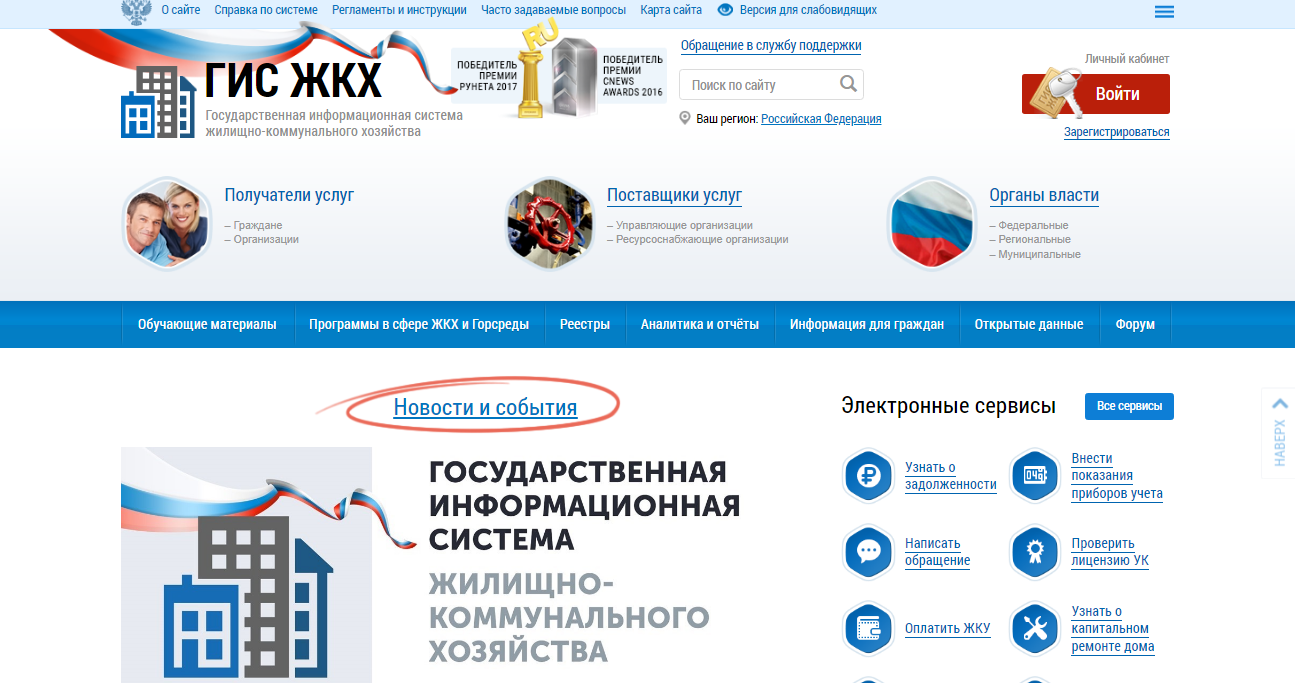
GIS housing and communal services personal account
EPGU RF interactive service — review
Login to your personal account — https://esia.gosuslugi.ru/login/
ESIA account registration
GIS housing and communal services personal account my dom gosuslugi
GIS Housing and Public Utilities — State information system of housing and communal services — a single information resource about housing and communal services in Russia.
Provides information and services for citizens through an interactive service — Personal Account.
Home information:
Services for citizens
Portal of public services of the Russian Federation personal account — overview
